


UWP 069 | Album Cover Match Game: Monetizing with Ads

In this sixth video, Bob uses the Universal Ad Client SDK to introduce ads to the app. He shows how to install, configure and utilize the control used to display the ad placeholder on the user interface and discusses settings required when submitting the app to the Windows Store. Lesson source code: https://github.com/Windows-Readiness/... Full series source code: https://github.com/Windows-Readiness/…
UWP 068 | Album Cover Match Game: Enabling the Play Again Feature

In this fifth video, Bob employs the logic necessary to play a new round, requiring some refactoring and setting variables back to an initially valid state. Lesson source code: https://github.com/Windows-Readiness/... Full series source code: https://github.com/Windows-Readiness/…
UWP 067 | Album Cover Match Game: Evaluating User Input and Tracking Progress

In this fourth video, Bob handles the ItemClick event and evaluates the chosen album against the song that was playing. Based on the response, the clicked on album's icon will change and the overall score will be affected. Lesson source code: https://github.com/Windows-Readiness/... Full series source code: https://github.com/Windows-Readiness/…
UWP 066 | Album Cover Match Game: Employing Game Logic
In this third video, Bob re-focuses on the game logic, filling in some core missing pieces like music playback and more. Lesson source code: https://github.com/Windows-Readiness/... Full series source code: https://github.com/Windows-Readiness/…
UWP 065 | Album Cover Match Game: Layout, Data Binding and Game Setup

In this second video, Bob turns his attention to the layout in order to display the album covers for the randomly selected songs. He also works on the logic for the game setup to get all the controls and variables into a valid starting state. Lesson source code: https://github.com/Windows-Readiness/... Full series source code: https://github.com/Windows-Readiness/…
UWP 064 | Album Cover Match Game: Setup and Working with Files and System Folders
In this second video, Bob sets up the project and focuses on getting a reference to all the song files in the user's Music Library. Furthermore, he starts employing the game logic by selecting random songs to be displayed for a new round of the game. Lesson source code: https://github.com/Windows-Readiness/... Full series source code: https://github.com/Windows-Readiness/…
UWP 063 | Album Cover Match Game: Introduction

Bob kicks off a new project: a memory/familiarity game that uses the user's Music Library to test the user's familiarity with the songs they own. You'll learn how to access special libraries in Windows 10, how to read file metadata like the Artist, Album and album art image file, how to monetize the app with Ads from Microsoft Advertising,...
UWP 062 | UWP Weather: Finishing Touches
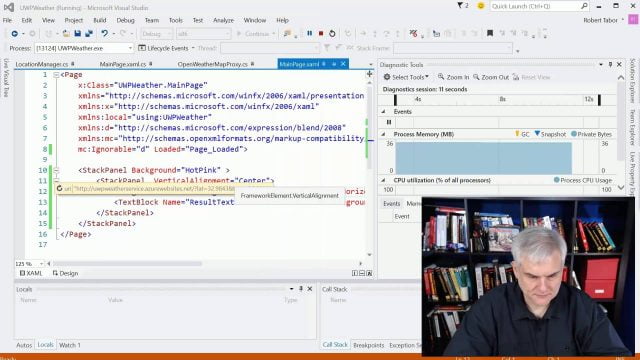
In this fifth and final video, Bob cleans up the user interface and more. Lesson source code: https://github.com/Windows-Readiness/... Full series source code: https://github.com/Windows-Readiness/…
UWP 061 | UWP Weather: Updating the Tile with Periodic Notifications

In this fourth video, Bob shows how to update the content of a Live Tile programmatically, then how to schedule future updates with live data by creating a web service built with ASP.NET MVC and Azure Websites. Lesson source code: https://github.com/Windows-Readiness/... Full series source code: https://github.com/Windows-Readiness/…
UWP 060 | UWP Weather: Testing Location in the Phone Emulator

In this third video, Bob uncovers a bug in the application by utilizing the Maps feature of the Phone Emulator. You can instruct the Emulator to act like the user is in a different physical location. Lesson source code: https://github.com/Windows-Readiness/... Full series source code: https://github.com/Windows-Readiness/…


