


UWP 078 | Hero Explorer: Adding an Adaptive Layout and UI Cleanup

In this eighth video, Bob adds the VisualStateManager and adaptive triggers to adaptively re-shape the layout based on the window size and performs other cleanup tasks on the user interface. Lesson source code: https://github.com/Windows-Readiness/... Full series source code: https://github.com/Windows-Readiness/…
UWP 077 Hero Explorer Displaying Comic Book Details

In this seventh video, Bob responds to the comic book's GridView ItemClick event to display the details about a given comic book. Lesson source code: https://github.com/Windows-Readiness/... Full series source code: https://github.com/Windows-Readiness/…
UWP 076 | Hero Explorer: Displaying Comic Books for a Character

In this sixth video, Bob displays a list of recent comics for the selected Character by making a new call to the Marvel API, creating new classes, etc. Lesson source code: https://github.com/Windows-Readiness/... Full series source code: https://github.com/Windows-Readiness/…
UWP 075 | Hero Explorer: Displaying Character Details

In this fifth video, Bob handles the "master" ListView's ItemClick event to display the details about a given Character. Lesson source code: https://github.com/Windows-Readiness/... Full series source code: https://github.com/Windows-Readiness/…
UWP 075 | Hero Explorer: Displaying Character Details

In this fifth video, Bob handles the "master" ListView's ItemClick event to display the details about a given Character. Lesson source code: https://github.com/Windows-Readiness/... Full series source code: https://github.com/Windows-Readiness/…
UWP 074 | Hero Explorer: DataBinding and Navigating through the Object Graph

In this fourth video, Bob provides the basic layout controls and databinds the "master" ListView to the list of Characters returned from the web API call. Lesson source code: https://github.com/Windows-Readiness/... Full series source code: https://github.com/Windows-Readiness/…
UWP 073 | Hero Explorer: Creating an MD5 Hash and Calling the API

In this third video, Bob demonstrates how to make a call to the Marvel API by creating a hash of the public and private keys and a timestamp along with special cryptography classes in the framework. He then makes the call to the web API and deserializes the JSON into an object graph. Lesson source code: https://github.com/Windows-Readiness/... Full series source code: https://github.com/Windows-Readiness/…
UWP 072 | Hero Explorer: Accessing the Marvel Web API
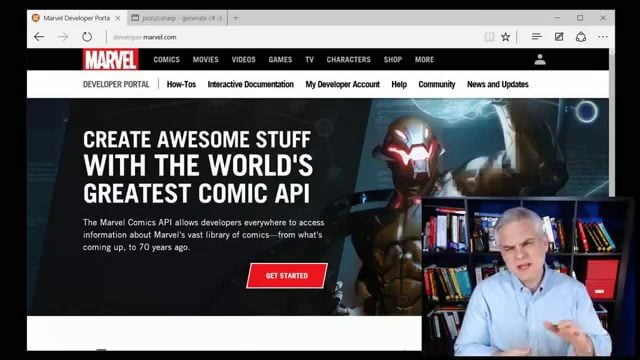
In this second video, Bob sets up the project but focuses on how to work with the Marvel API ... how to make calls, how to filter results, what to expect back. He uses the resulting JSON from a sample call to create a graph of classes representing the data. Lesson source code: https://github.com/Windows-Readiness/... Full series source code: https://github.com/Windows-Readiness/…
UWP 071 | Hero Explorer: Introduction

Bob kicks off a new project utilizing Marvel's API for exploring their universe of characters and comic books. In this lesson, you'll learn how to sign a web API request with an MD5 hash, reinforce ideas you learned about data binding, learn about master/detail layout, and even how to add Cortana integration. Lesson source code: none for this lesson Full series...
UWP 070 | Album Cover Match Game: In App Purchase for Ad Removal
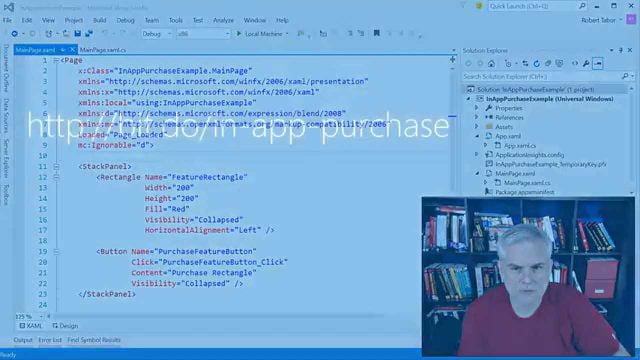
In this seventh and final video, Bob shows how to include in-app purchases to enable or disable some feature of your app or sell consumable items in the app. Then he includes this feature in the Album Cover Match Game app allowing the user to pay to remove the ads. Lesson source code: https://github.com/Windows-Readiness/... Full series source code: https://github.com/Windows-Readiness/…


