


UWP 029 | XAML Themes
Windows 10 on both desktop and phone allow the user to change their preferred colors. As developers we can utilize those colors in our...
UWP 028 | XAML Styles
Up until now, we've set the fonts, colors, sizes and more of the XAML controls we've used individually one at a time, however in...
UWP 027 | Canvas and Shapes
While we don't particularly need their services in the remainder of the lessons in this series, no introduction to building user interfaces with the...
UWP 026 | Working with the ScrollViewer
With limited real estate in our app's Window, we must use the ScrollViewer to allow our users to scroll horizontally or vertically to see...
UWP 025 | Common XAML Controls: Part 2
In this second installment of a tour through the Toolbox, we learn about date input controls, progress bars and rings, and more.
Lesson source code:...

UWP 024 | Hamburger Heaven Challenge: Solution
This is the solution video (one possible solution) to the Hamburger Heaven challenge.
Lesson source code: https://github.com/Windows-Readiness/...
Full series source code: https://github.com/Windows-Readiness/...
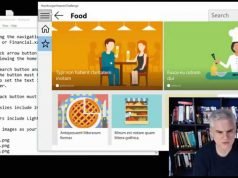
UWP 023 | Hamburger Heaven Challenge
You've seen Bob create the elements of a hamburger navigation menu, search panel, back button and more. Now it's your turn! Can you build...
UWP 022 | Cheat Sheet Review: Windows 10 Layout Hamburger Navigation and Controls
Need a quick reminder about what we covered in the previous lessons? Do you remember viewing a video that explained or demonstrated a technique...
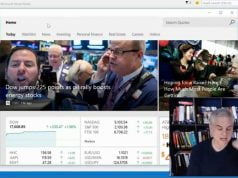
UWP 021 | Implementing a Simple Hamburger Navigation Menu
Now that we understand how to utilize the RelativePanel and SplitPanel, and we have access to new controls in the Toolbox, we can build...
UWP 020 | Common XAML Controls: Part 1
There are so many controls in the Toolbox that we've not used up until now. This video will put new tools in our toolbox...
- Advertisement -


