


UWP 059 | UWP Weather: Accessing the GPS Location
Now that we can call the web service and get data, this third video demonstrates how to access the current location of the user's...

UWP 058 | UWP Weather: Setup and Working with the Weather API
In this second video, Bob gets started by creating the project and focusing on how to retrieve data from the weather API. He demonstrates...
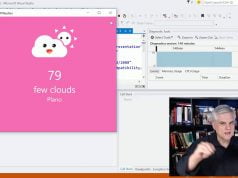
UWP 057 | UWP Weather: Introduction
Bob kicks off the start of a new project: a cute weather app pulling current weather app from an online weather service, utilizing the...
UWP 056 | UWP SoundBoard: Submitting to the Windows Store
In this seventh and final video, Bob submits the finished app to the store. He shows you where to go, how to upload the...

UWP 055 | UWP SoundBoard: Adding Assets with the Package AppXManifest
In this sixth video, Bob explains the purpose of the Package.AppXManifest and demonstrates how to reference the artwork for the app to display a...
UWP 054 | UWP SoundBoard: Finishing Touches
In this fifth video, Bob cleans up the user interface and the code, putting the finishing touches on it so that it can be...
UWP 053 | UWP SoundBoard: Adding Drag-and-Drop
In this fourth video, Bob demonstrates how to add Drag and Drop to the application to allow a user to drag any sound file...
UWP 052 | UWP SoundBoard: Playing Sounds with the Media Element
In this third video, Bob handles the ItemClick event in the GridView to play the media related to the item that was clicked.
Lesson source...

UWP 051 | UWP SoundBoard Creating the Data Model and Data Binding
In this second video, Bob creates a class representing each sound, populates a collection of the Sound class, and binds it to a GridView.
Lesson...
https://github.com/Windows-Readiness/AbsoluteBeginnersWin10
In this first video, Bob sets up the project, copies the assets into the project, and creates the overall layout of the app's user...
- Advertisement -


